
 airplay-enabled tvs and video accessories
Roku
Roku is an American streaming platform founded in 2002. Its own players and the Roku TVs built by partner brands support AirPlay 2 and Apple Home.
Affiliate links: we may earn a commission if you buy through them, at no extra cost to you.
Some links below are affiliate links: we may earn a commission if you buy through them, at no extra cost to you.
Yes, a Roku works on any television with an HDMI socket — and that is the most useful thing on this page, because it is the answer to the question most people arrive here asking.
A Roku player is a small box or stick that plugs into an HDMI port. It does not care what make the television is, how old it is, or whether it calls itself smart. Plug it in, put it on the Wi-Fi, and the set gains AirPlay 2 and Apple Home support it did not have. That is the cheapest way by a wide margin to put an old television into the Home app, and it is considerably cheaper than replacing the television.
What “HomeKit on Roku” actually gives you
Two separate things travel under that phrase:
- AirPlay 2 sends pictures and sound from an iPhone, iPad or Mac to the screen. Photos, video, a mirrored Mac desktop, a match from an app that will not install on the box. This is the feature people use.
- Apple Home puts the Roku in the Home app as an accessory, so it can go in a scene — a “Goodnight” that turns the television off along with the lights. Power and input are the useful parts. You cannot drive the Roku interface from the Home app.
Adding it to the Home app needs a home hub in the house, a HomePod or an Apple TV, like every other Apple Home accessory. AirPlay 2 on its own does not.
Two different things are called Roku
This trips people up when they search for a “Roku TV”.
- Roku players are Roku’s own hardware — the sticks, boxes and the Streambar. They plug into a television you already own.
- Roku TVs are televisions built by other manufacturers running Roku’s software. There is no such thing as a television made by Roku. This directory lists Roku TVs from Hisense, TCL, Philips, JVC, Hitachi, RCA, Polaroid, Metz, Sharp and a dozen more, each on its own page, because the panel and the price are the manufacturer’s even though the software is Roku’s.
If you already own a Roku TV, the Apple support is in the Roku settings, not in the television maker’s menus.
The players worth naming
Roku Streaming Stick 4K
The Roku Streaming Stick 4K is the one to buy for most people: a stick rather than a box, so it plugs straight into the HDMI port behind the set and draws power over USB. Nothing on the shelf, no extra cable showing.
Roku Premiere
The Roku Premiere is the cheaper 4K HDR player, and the minimum outlay to add AirPlay 2 and Apple Home to a screen that has neither.
The Roku Express 4K, Roku Ultra LT and the Roku Streambar — which is a soundbar and a player in one case — are also in the directory, along with the older Express, Premiere+ and Ultra models.
Roku or an Apple TV?
An Apple TV does the same job better and costs several times as much. It also gives you the home hub that every Apple Home automation in the house needs, which a Roku does not. If there is no HomePod and no Apple TV in the house yet, that changes the sum considerably — the Roku will AirPlay happily, but nothing you put in the Home app will run on a schedule without a hub somewhere.
Also worth reading
- AirPlay-enabled TVs and video accessories — every television and player in the directory, and what to check before buying one.
Showing 24 of 49 products
Some links below are affiliate links: we may earn a commission if you buy through them, at no extra cost to you.
airplay-enabled tvs and video accessories
airplay-enabled tvs and video accessories
airplay-enabled tvs and video accessories
airplay-enabled tvs and video accessories
airplay-enabled tvs and video accessories
airplay-enabled tvs and video accessories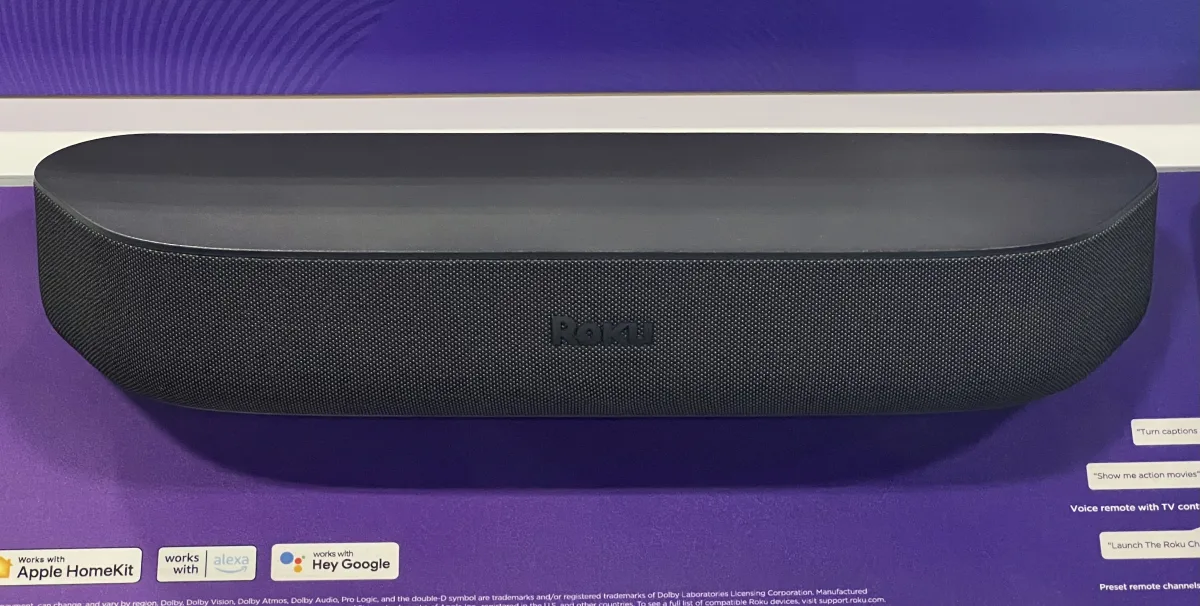 airplay-enabled tvs and video accessories
airplay-enabled tvs and video accessories
airplay-enabled tvs and video accessories
airplay-enabled tvs and video accessories
airplay-enabled tvs and video accessoriesRoku · AirPlay-Enabled TVs and Video Accessories
Roku Streaming Stick 4K+ (2021, 2022)
Wi-Fi
at Amazon
Buy
airplay-enabled tvs and video accessories
airplay-enabled tvs and video accessoriesRoku · AirPlay-Enabled TVs and Video Accessories
Roku Streaming Stick+ Headphone Edition
Wi-Fi
at Amazon
Buy
airplay-enabled tvs and video accessories
airplay-enabled tvs and video accessories
airplay-enabled tvs and video accessories
airplay-enabled tvs and video accessories
airplay-enabled tvs and video accessories
airplay-enabled tvs and video accessories
airplay-enabled tvs and video accessories
airplay-enabled tvs and video accessories
airplay-enabled tvs and video accessories
airplay-enabled tvs and video accessories
airplay-enabled tvs and video accessories
airplay-enabled tvs and video accessoriesWhy Choose Roku for HomeKit?
Roku provides feature-rich, budget-friendly smart TVs and streaming players that integrate smoothly with Apple HomeKit. With AirPlay 2 support and growing HomeKit functionality, Roku makes it easy to stream, control, and automate your entertainment experience with Siri and the Apple Home app.
Popular Roku HomeKit-Compatible Products
- Roku Streaming Stick 4K: A compact, powerful streaming device supporting 4K HDR and AirPlay 2, allowing you to control playback and volume with Siri.
- Roku Ultra: A premium streaming box with Dolby Vision, Bluetooth, and HomeKit/AirPlay 2 support for voice control and automation.
- Roku Express 4K+: An affordable streaming option that supports HomeKit via AirPlay 2 for easy integration with your Apple devices.
- Roku Smart TVs (TCL, Hisense, Sharp): Many Roku-powered TVs now support HomeKit and AirPlay 2, enabling direct control from Apple devices.
- Roku Streambar: A compact soundbar and streaming combo device that supports AirPlay 2 and delivers impressive sound for its size.
Key Features of Roku Devices
- Apple HomeKit & AirPlay 2 Support: Easily stream content, mirror your screen, and control playback using Siri or the Apple Home app.
- Affordable Pricing: Roku offers excellent value across its product range, making HomeKit-compatible streaming accessible to everyone.
- Simple Setup: Devices are plug-and-play and HomeKit pairing is quick and straightforward.
- Wide Content Access: Stream all major platforms like Netflix, Apple TV+, Disney+, and more—now with seamless Apple integration.
- Multi-Room Audio & Control: Use AirPlay 2 to include Roku devices in your multi-room audio setup or HomeKit scenes.
Where to Buy Roku HomeKit Devices
Roku products are available on their official website and major online retailers like Amazon. With excellent performance, affordability, and HomeKit support, Roku is a top choice for Apple users wanting smarter entertainment without the high cost.
Whether you’re upgrading your living room or adding a streaming device to another room, Roku provides HomeKit-compatible solutions that make your Apple-powered smart home even more entertaining.