
 airplay-enabled speakers
AirPlay-Enabled Speakers
Every AirPlay 2 compatible speaker, soundbar and adapter in the directory, and what AirPlay 2 does — and does not — give you in the Apple Home app.
215 products51 brands
Showing 215 of 215 airplay-enabled speakers
Some links below are affiliate links: we may earn a commission if you buy through them, at no extra cost to you.
airplay-enabled speakers
airplay-enabled speakers
airplay-enabled speakers
airplay-enabled speakers
airplay-enabled speakers
airplay-enabled speakers
airplay-enabled speakers
airplay-enabled speakers
airplay-enabled speakers
airplay-enabled speakers
airplay-enabled speakers
airplay-enabled speakers
airplay-enabled speakers
airplay-enabled speakers
airplay-enabled speakers
airplay-enabled speakers
airplay-enabled speakers
airplay-enabled speakers
airplay-enabled speakers
airplay-enabled speakers
airplay-enabled speakers
airplay-enabled speakers
airplay-enabled speakers
airplay-enabled speakers
airplay-enabled speakers
airplay-enabled speakers
airplay-enabled speakers
airplay-enabled speakers
airplay-enabled speakers
airplay-enabled speakers
airplay-enabled speakers
airplay-enabled speakers
airplay-enabled speakers
airplay-enabled speakers
airplay-enabled speakers
airplay-enabled speakers
airplay-enabled speakers
airplay-enabled speakers
airplay-enabled speakers
airplay-enabled speakers
airplay-enabled speakers
airplay-enabled speakers
airplay-enabled speakers
airplay-enabled speakers
airplay-enabled speakers
airplay-enabled speakers
airplay-enabled speakers
airplay-enabled speakers
airplay-enabled speakers
airplay-enabled speakers
airplay-enabled speakers
airplay-enabled speakers
airplay-enabled speakers
airplay-enabled speakers
airplay-enabled speakers
airplay-enabled speakers
airplay-enabled speakers
airplay-enabled speakers
airplay-enabled speakers
airplay-enabled speakers
airplay-enabled speakers
airplay-enabled speakers
airplay-enabled speakers
airplay-enabled speakers
airplay-enabled speakers
airplay-enabled speakers
airplay-enabled speakers
airplay-enabled speakers
airplay-enabled speakers
airplay-enabled speakers
airplay-enabled speakers
airplay-enabled speakers
airplay-enabled speakers
airplay-enabled speakers
airplay-enabled speakers
airplay-enabled speakers
airplay-enabled speakers
airplay-enabled speakers
airplay-enabled speakers
airplay-enabled speakers
airplay-enabled speakers
airplay-enabled speakers
airplay-enabled speakers
airplay-enabled speakers
airplay-enabled speakers
airplay-enabled speakers
airplay-enabled speakers
airplay-enabled speakers
airplay-enabled speakers
airplay-enabled speakers
airplay-enabled speakers
airplay-enabled speakers
airplay-enabled speakers
airplay-enabled speakers
airplay-enabled speakers
airplay-enabled speakers
airplay-enabled speakers
airplay-enabled speakers
airplay-enabled speakers
airplay-enabled speakers
airplay-enabled speakers
airplay-enabled speakers
airplay-enabled speakers
airplay-enabled speakers
airplay-enabled speakers
airplay-enabled speakers
airplay-enabled speakers
airplay-enabled speakers
airplay-enabled speakers
airplay-enabled speakers
airplay-enabled speakers
airplay-enabled speakers
airplay-enabled speakers
airplay-enabled speakers
airplay-enabled speakers
airplay-enabled speakers
airplay-enabled speakers
airplay-enabled speakers
airplay-enabled speakers
airplay-enabled speakers
airplay-enabled speakers
airplay-enabled speakers
airplay-enabled speakers
airplay-enabled speakers
airplay-enabled speakers
airplay-enabled speakers
airplay-enabled speakers
airplay-enabled speakers
airplay-enabled speakers
airplay-enabled speakers
airplay-enabled speakers
airplay-enabled speakers
airplay-enabled speakers
airplay-enabled speakers
airplay-enabled speakers
airplay-enabled speakers airplay-enabled receivers
airplay-enabled speakers
airplay-enabled speakers
airplay-enabled speakers
airplay-enabled speakers
airplay-enabled speakers
airplay-enabled speakers
airplay-enabled speakers
airplay-enabled speakers
airplay-enabled speakers
airplay-enabled speakers
airplay-enabled speakers
airplay-enabled speakers
airplay-enabled speakers
airplay-enabled speakers
airplay-enabled speakers
airplay-enabled speakers
airplay-enabled speakers
airplay-enabled speakers
airplay-enabled speakers
airplay-enabled speakers
airplay-enabled speakers
airplay-enabled speakers
airplay-enabled speakers
airplay-enabled speakers
airplay-enabled speakers
airplay-enabled speakers
airplay-enabled speakers
airplay-enabled speakers
airplay-enabled speakers
airplay-enabled speakers
airplay-enabled speakers
airplay-enabled speakers
airplay-enabled speakers
airplay-enabled speakers
airplay-enabled speakers
airplay-enabled speakers
airplay-enabled speakers
airplay-enabled speakers
airplay-enabled speakers
airplay-enabled speakers
airplay-enabled speakers
airplay-enabled speakers
airplay-enabled speakers
airplay-enabled speakers
airplay-enabled speakers
airplay-enabled speakers
airplay-enabled speakers
airplay-enabled speakers
airplay-enabled speakers
airplay-enabled speakers
airplay-enabled receivers
airplay-enabled speakers
airplay-enabled speakers
airplay-enabled speakers
airplay-enabled speakers
airplay-enabled speakers
airplay-enabled speakers
airplay-enabled speakers
airplay-enabled speakers
airplay-enabled speakers
airplay-enabled speakers
airplay-enabled speakers
airplay-enabled speakers
airplay-enabled speakers
airplay-enabled speakers
airplay-enabled speakers
airplay-enabled speakers
airplay-enabled speakers
airplay-enabled speakers
airplay-enabled speakers
airplay-enabled speakers
airplay-enabled speakers
airplay-enabled speakers
airplay-enabled speakers
airplay-enabled speakers
airplay-enabled speakers
airplay-enabled speakers
airplay-enabled speakers
airplay-enabled speakers
airplay-enabled speakers
airplay-enabled speakers
airplay-enabled speakers
airplay-enabled speakers
airplay-enabled speakers
airplay-enabled speakers
airplay-enabled speakers
airplay-enabled speakers
airplay-enabled speakers
airplay-enabled speakers
airplay-enabled speakers
airplay-enabled speakers
airplay-enabled speakers
airplay-enabled speakers
airplay-enabled speakers
airplay-enabled speakers
airplay-enabled speakers
airplay-enabled speakers
airplay-enabled speakers
airplay-enabled speakers
airplay-enabled speakers
airplay-enabled speakers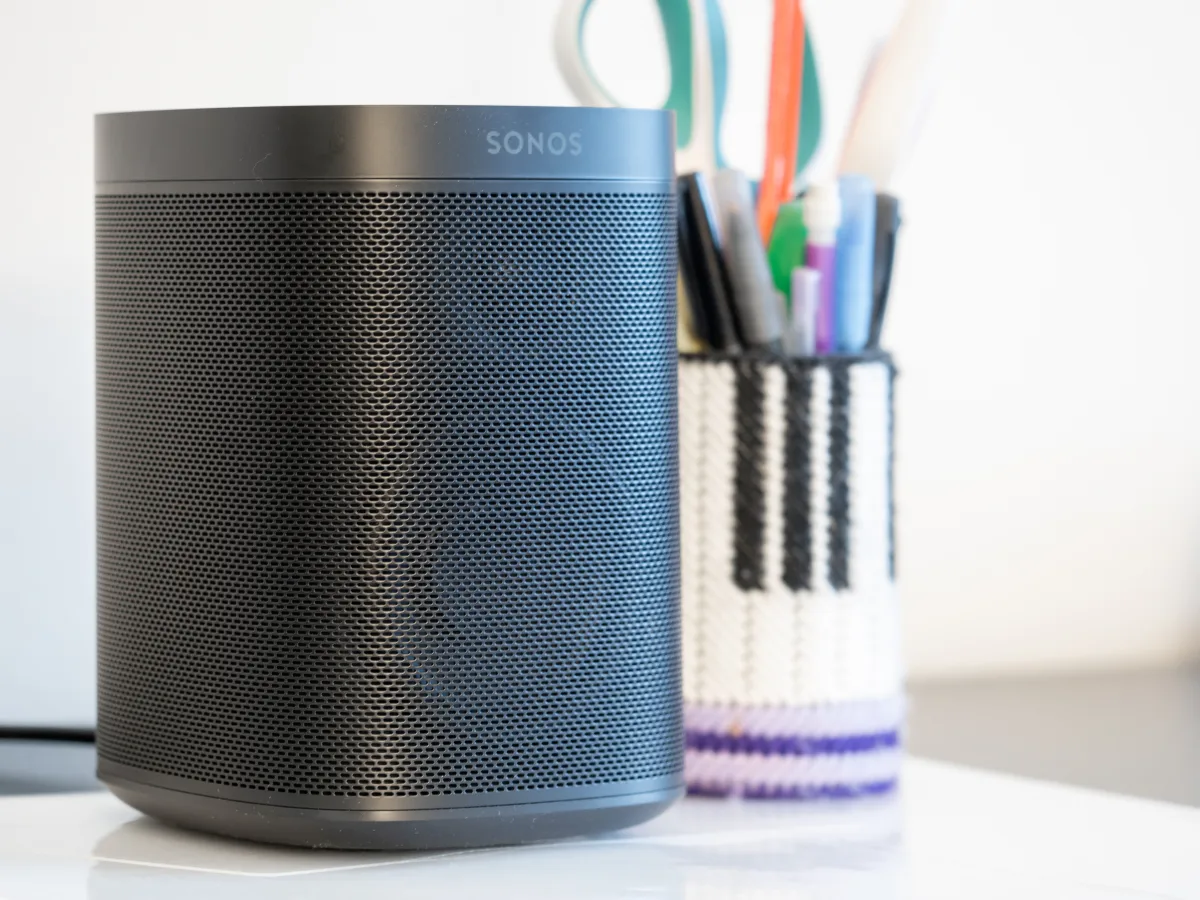
 airplay-enabled speakers
airplay-enabled speakers
airplay-enabled speakers
airplay-enabled speakers
airplay-enabled speakers
airplay-enabled speakers
airplay-enabled speakers
airplay-enabled speakers
airplay-enabled speakers
airplay-enabled speakers
airplay-enabled speakers
airplay-enabled speakers
airplay-enabled speakers
airplay-enabled speakers
airplay-enabled speakers
airplay-enabled speakers
airplay-enabled speakers
airplay-enabled speakers
airplay-enabled speakers
airplay-enabled speakers
airplay-enabled speakers
airplay-enabled speakers
airplay-enabled speakers
airplay-enabled speakers
airplay-enabled speakers
airplay-enabled speakers
airplay-enabled speakers
airplay-enabled speakers
airplay-enabled speakers
airplay-enabled speakers
airplay-enabled speakers
airplay-enabled speakers
airplay-enabled speakers
airplay-enabled speakers
airplay-enabled speakers
airplay-enabled speakers
airplay-enabled speakers
airplay-enabled speakers
airplay-enabled speakers
airplay-enabled speakers
airplay-enabled speakers
airplay-enabled speakers
airplay-enabled speakers
airplay-enabled speakers
airplay-enabled speakers
airplay-enabled speakers
airplay-enabled speakers
airplay-enabled speakers
airplay-enabled speakers
airplay-enabled speakers
airplay-enabled speakersNo airplay-enabled speakers match these filters.
Some links below are affiliate links: we may earn a commission if you buy through them, at no extra cost to you.
An AirPlay 2 speaker lets any iPhone, iPad or Mac on your network send audio to it, lets you group it with other AirPlay 2 speakers — any brand, mixed freely — and lets Siri send music to it by room name. That is a genuinely useful set of things, and it is a different set from what a HomeKit accessory does.
AirPlay 2 is not the same as HomeKit
This is the confusion worth clearing up before you spend anything.
An AirPlay 2 speaker appears in the Home app as a speaker you can play to, and as an AirPlay target in Control Centre. You can assign it to a room, group it for synchronised multi-room audio, and make it the audio output in a scene or an automation.
What you generally cannot do is treat it as an accessory: there is no on/off tile and no volume slider of the kind a HomeKit light or plug gives you. Siri also lives on your iPhone or your HomePod, not inside these speakers — asking one of them a question is not a thing that happens.
Two practical consequences. Ethernet, where a speaker offers it, is worth using: AirPlay 2 is only as reliable as the Wi-Fi under it, and a dropout mid-album is the failure mode people actually complain about. And stereo pairing, surround and room correction are the manufacturer’s features, not AirPlay’s — two speakers from different brands will play in sync, but they will not become a stereo pair.
AirPlay 2 compatible speakers we would buy
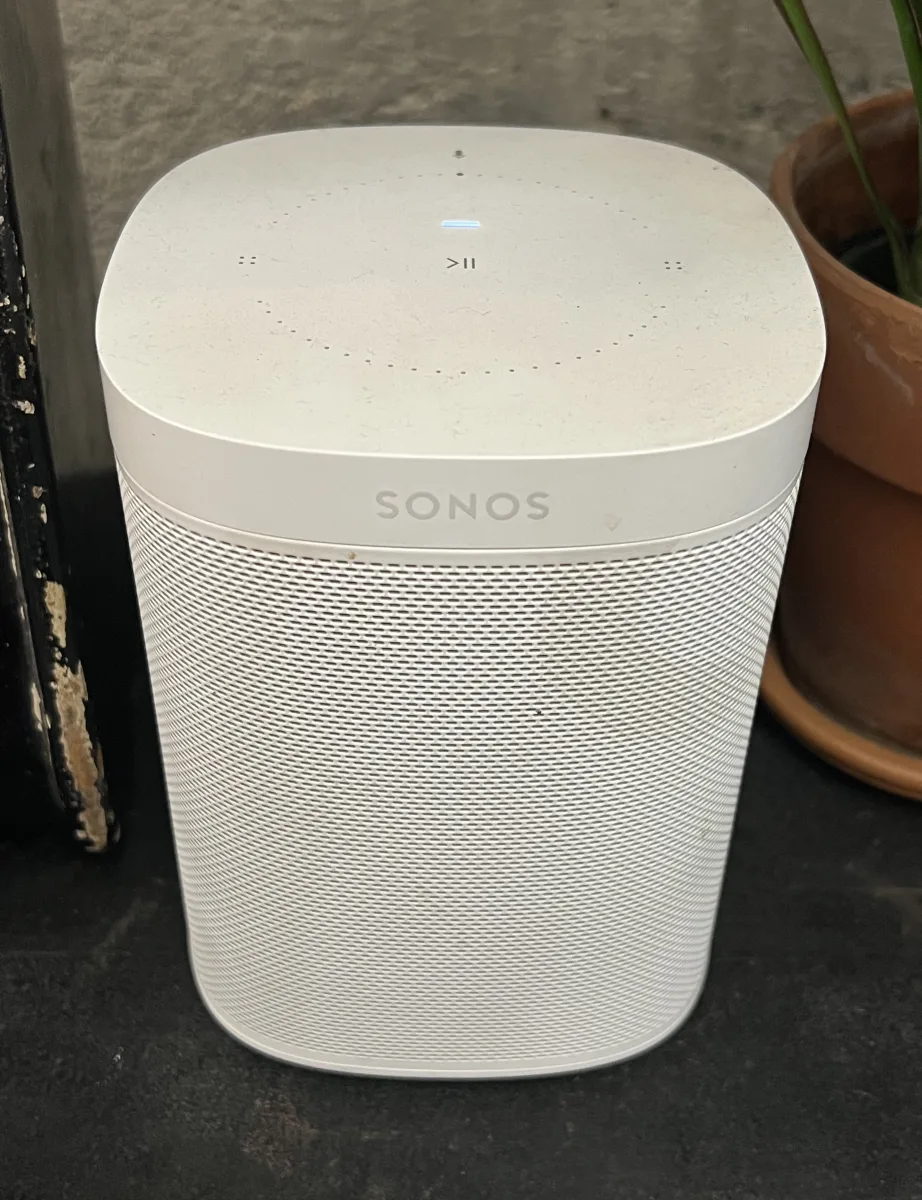
The straightforward first speaker: Sonos One SL
The Sonos One SL is the compact speaker most people should start with. It does AirPlay 2, it does Sonos’s own multi-room alongside it, and a second one pairs into stereo. No microphone, which some people consider the feature.
One speaker for one big room: Sonos Five
The Sonos Five is the large single-box option — six amplifiers driving five custom drivers — for a room where a compact speaker sounds thin. No battery, no microphone, no soundbar duties. It plays music loudly and well.
Under the television: Sonos Beam, or Arc
The Sonos Beam is the compact soundbar and the right size for most British living rooms. Step up to the Sonos Arc if you want Dolby Atmos and DTS:X and have the width under the screen for it. Both are AirPlay 2 speakers as well as soundbars, which means the TV speaker doubles as the kitchen-adjacent music speaker.
Beam on Amazon UK · Arc on Amazon UK
Keep the hi-fi you already own: Eve Play
The Eve Play is not a speaker. It is a small adapter that connects to an amplifier or a pair of powered speakers over analogue or optical and adds AirPlay 2 to them. If you have a system you like, this is much the cheapest way into multi-room audio, and it is the only product in this category designed around Apple rather than supporting it alongside four other platforms.
Actual stereo: KEF LSX II
The KEF LSX II is a pair of active speakers rather than a one-box system, so it images like a hi-fi because it is one, and it supports high-resolution audio. It costs accordingly.
One box, no compromises: Naim Mu-so Qb 2
The Naim Mu-so Qb (2nd generation) is the premium single-box speaker in this list — a compact cube with custom drivers that is meant to be the only thing in the room.
Nothing on the shelf: Lithe Audio ceiling speaker
The Lithe Audio Wi-Fi Ceiling Speaker v2 puts AirPlay 2 into the ceiling itself, with no box on show and no amplifier to hide. It is the answer for a kitchen or a bathroom where a speaker on a worktop is in the way.
What to check before you buy
Does it have its own multi-room system too? Sonos and BluOS speakers do AirPlay 2 and a proprietary system of their own. The proprietary one is usually better — it survives your phone leaving the house, and it does not stop when a call comes in. Mixing brands means falling back to AirPlay 2 for anything that has to play together.
Ethernet. Use it where the speaker has it and the room allows it.
Latency, if it is going under a TV. AirPlay 2 buffers, which is what makes multi-room sync work and what makes it the wrong path for television audio. A soundbar’s HDMI eARC connection handles the TV; AirPlay 2 is for music sent to it afterwards.
Whether you need a microphone. Several speakers here come with and without one. Siri does not run on them either way, so the microphone buys you the manufacturer’s assistant, not Apple’s.
Also worth reading
- AirPlay 2: the unsung hero of Apple’s wireless ecosystem — how the protocol works, and what changed from AirPlay 1.
- Bose Smart Soundbar vs Smart Ultra Soundbar
- Samsung HW-Q990C vs HW-Q990D
The full list — every AirPlay 2 speaker, soundbar, receiver and adapter in the directory — is below.