
 airplay-enabled tvs and video accessories
AirPlay-Enabled TVs and Video Accessories
Which televisions work with Apple Home, what AirPlay 2 gives you that HomeKit does not, how to pair a TV, and the cheapest way to add both to a television that has neither.
213 products12 brands

Showing 213 of 213 airplay-enabled tvs and video accessories
Some links below are affiliate links: we may earn a commission if you buy through them, at no extra cost to you.
airplay-enabled tvs and video accessories
airplay-enabled tvs and video accessories
airplay-enabled tvs and video accessories
airplay-enabled tvs and video accessories
airplay-enabled tvs and video accessories
airplay-enabled tvs and video accessories
airplay-enabled tvs and video accessories
airplay-enabled tvs and video accessories
airplay-enabled tvs and video accessories
airplay-enabled tvs and video accessories
airplay-enabled tvs and video accessories
airplay-enabled tvs and video accessories
airplay-enabled tvs and video accessories
airplay-enabled tvs and video accessories
airplay-enabled tvs and video accessories
airplay-enabled tvs and video accessories
airplay-enabled tvs and video accessories
airplay-enabled tvs and video accessories
airplay-enabled tvs and video accessories
airplay-enabled tvs and video accessories
airplay-enabled tvs and video accessories
airplay-enabled tvs and video accessories
airplay-enabled tvs and video accessories
airplay-enabled tvs and video accessories
airplay-enabled tvs and video accessories
airplay-enabled tvs and video accessories
airplay-enabled tvs and video accessories
airplay-enabled tvs and video accessories
airplay-enabled tvs and video accessories
airplay-enabled tvs and video accessories
airplay-enabled tvs and video accessories
airplay-enabled tvs and video accessories
airplay-enabled tvs and video accessories
airplay-enabled tvs and video accessories
airplay-enabled tvs and video accessories
airplay-enabled tvs and video accessories
airplay-enabled tvs and video accessories
airplay-enabled tvs and video accessories
airplay-enabled tvs and video accessories
airplay-enabled tvs and video accessories
airplay-enabled tvs and video accessories
airplay-enabled tvs and video accessories
airplay-enabled tvs and video accessories
airplay-enabled tvs and video accessories
airplay-enabled tvs and video accessories
airplay-enabled tvs and video accessories
airplay-enabled tvs and video accessories
airplay-enabled tvs and video accessories
airplay-enabled tvs and video accessories
airplay-enabled tvs and video accessories
airplay-enabled tvs and video accessories
airplay-enabled tvs and video accessories
airplay-enabled tvs and video accessories
airplay-enabled tvs and video accessories
airplay-enabled tvs and video accessories
airplay-enabled tvs and video accessories
airplay-enabled tvs and video accessories
airplay-enabled tvs and video accessories
airplay-enabled tvs and video accessories
airplay-enabled tvs and video accessories
airplay-enabled tvs and video accessories
airplay-enabled tvs and video accessories
airplay-enabled tvs and video accessories
airplay-enabled tvs and video accessories
airplay-enabled tvs and video accessories
airplay-enabled tvs and video accessories
airplay-enabled tvs and video accessories
airplay-enabled tvs and video accessories
airplay-enabled tvs and video accessories
airplay-enabled tvs and video accessories
airplay-enabled tvs and video accessories
airplay-enabled tvs and video accessories
airplay-enabled tvs and video accessories
airplay-enabled tvs and video accessories
airplay-enabled tvs and video accessories
airplay-enabled tvs and video accessories
airplay-enabled tvs and video accessories
airplay-enabled tvs and video accessories
airplay-enabled tvs and video accessories
airplay-enabled tvs and video accessories
airplay-enabled tvs and video accessories
airplay-enabled tvs and video accessories
airplay-enabled tvs and video accessories
airplay-enabled tvs and video accessories
airplay-enabled tvs and video accessories
airplay-enabled tvs and video accessories
airplay-enabled tvs and video accessories
airplay-enabled tvs and video accessories
airplay-enabled tvs and video accessories
airplay-enabled tvs and video accessories
airplay-enabled tvs and video accessories
airplay-enabled tvs and video accessories
airplay-enabled tvs and video accessories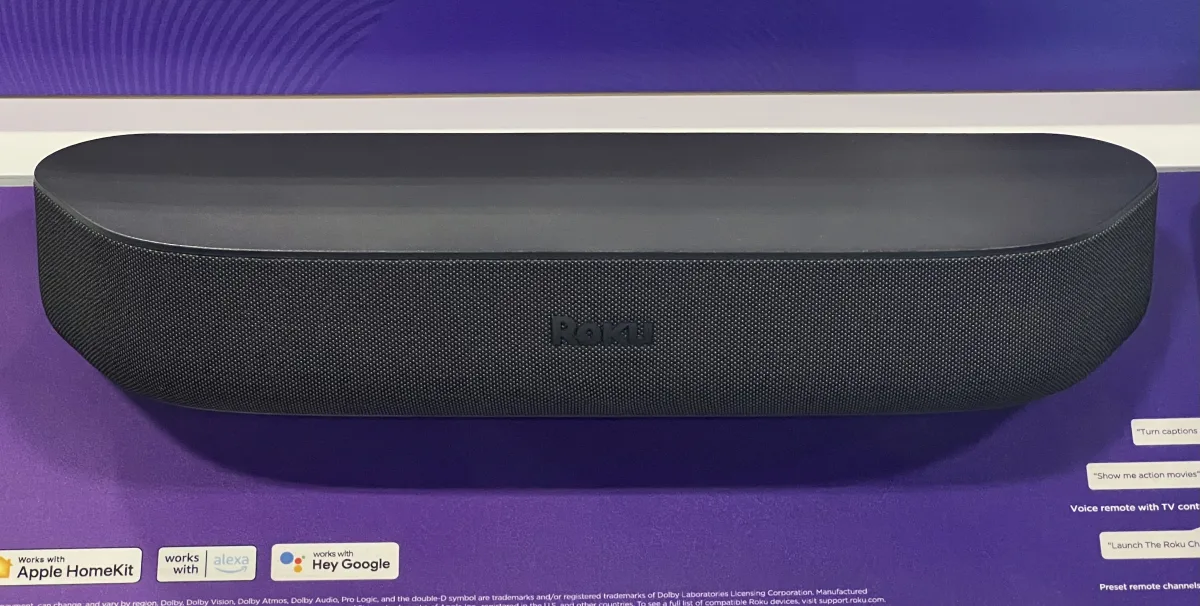 airplay-enabled tvs and video accessories
airplay-enabled tvs and video accessories
airplay-enabled tvs and video accessories
airplay-enabled tvs and video accessories
airplay-enabled tvs and video accessories
airplay-enabled tvs and video accessories
airplay-enabled tvs and video accessories
airplay-enabled tvs and video accessories
airplay-enabled tvs and video accessories
airplay-enabled tvs and video accessories
airplay-enabled tvs and video accessories
airplay-enabled tvs and video accessories
airplay-enabled tvs and video accessories
airplay-enabled tvs and video accessories
airplay-enabled tvs and video accessories
airplay-enabled tvs and video accessories
airplay-enabled tvs and video accessories
airplay-enabled tvs and video accessories
airplay-enabled tvs and video accessories
airplay-enabled tvs and video accessories
airplay-enabled tvs and video accessories
airplay-enabled tvs and video accessories
airplay-enabled tvs and video accessories
airplay-enabled tvs and video accessories
airplay-enabled tvs and video accessories
airplay-enabled tvs and video accessories
airplay-enabled tvs and video accessories
airplay-enabled tvs and video accessories
airplay-enabled tvs and video accessories
airplay-enabled tvs and video accessories
airplay-enabled tvs and video accessories
airplay-enabled tvs and video accessories
airplay-enabled tvs and video accessories
airplay-enabled tvs and video accessories
airplay-enabled tvs and video accessories
airplay-enabled tvs and video accessories
airplay-enabled tvs and video accessories
airplay-enabled tvs and video accessories
airplay-enabled tvs and video accessories
airplay-enabled tvs and video accessories
airplay-enabled tvs and video accessories
airplay-enabled tvs and video accessories
airplay-enabled tvs and video accessories
airplay-enabled tvs and video accessories
airplay-enabled tvs and video accessories
airplay-enabled tvs and video accessories
airplay-enabled tvs and video accessories
airplay-enabled tvs and video accessories
airplay-enabled tvs and video accessories
airplay-enabled tvs and video accessories
airplay-enabled tvs and video accessories
airplay-enabled tvs and video accessories
airplay-enabled tvs and video accessories
airplay-enabled tvs and video accessories
airplay-enabled tvs and video accessories
airplay-enabled tvs and video accessories
airplay-enabled tvs and video accessories
airplay-enabled tvs and video accessories
airplay-enabled tvs and video accessories
airplay-enabled tvs and video accessories
airplay-enabled tvs and video accessories
airplay-enabled tvs and video accessories
airplay-enabled tvs and video accessories
airplay-enabled tvs and video accessories
airplay-enabled tvs and video accessories
airplay-enabled tvs and video accessories
airplay-enabled tvs and video accessories
airplay-enabled tvs and video accessories
airplay-enabled tvs and video accessories
airplay-enabled tvs and video accessories
airplay-enabled tvs and video accessories
airplay-enabled tvs and video accessories
airplay-enabled tvs and video accessories
airplay-enabled tvs and video accessories
airplay-enabled tvs and video accessories
airplay-enabled tvs and video accessories
airplay-enabled tvs and video accessories
airplay-enabled tvs and video accessories
airplay-enabled tvs and video accessories
airplay-enabled tvs and video accessories
airplay-enabled tvs and video accessories
airplay-enabled tvs and video accessories
airplay-enabled tvs and video accessories
airplay-enabled tvs and video accessories
airplay-enabled tvs and video accessories
airplay-enabled tvs and video accessories
airplay-enabled tvs and video accessories
airplay-enabled tvs and video accessories
airplay-enabled tvs and video accessories
airplay-enabled tvs and video accessories
airplay-enabled tvs and video accessories
airplay-enabled tvs and video accessories
airplay-enabled tvs and video accessories
airplay-enabled tvs and video accessories
airplay-enabled tvs and video accessories
airplay-enabled tvs and video accessories
airplay-enabled tvs and video accessories
airplay-enabled tvs and video accessories
airplay-enabled tvs and video accessories
airplay-enabled tvs and video accessories
airplay-enabled tvs and video accessories
airplay-enabled tvs and video accessories
airplay-enabled tvs and video accessories
airplay-enabled tvs and video accessories
airplay-enabled tvs and video accessories
airplay-enabled tvs and video accessories
airplay-enabled tvs and video accessories
airplay-enabled tvs and video accessories
airplay-enabled tvs and video accessories
airplay-enabled tvs and video accessories
airplay-enabled tvs and video accessories
airplay-enabled tvs and video accessories
airplay-enabled tvs and video accessories
airplay-enabled tvs and video accessories
airplay-enabled tvs and video accessories
airplay-enabled tvs and video accessories
airplay-enabled tvs and video accessories
airplay-enabled tvs and video accessories
airplay-enabled tvs and video accessories
airplay-enabled tvs and video accessories
airplay-enabled tvs and video accessories
airplay-enabled tvs and video accessories
airplay-enabled tvs and video accessories
airplay-enabled tvs and video accessories
airplay-enabled tvs and video accessories
airplay-enabled tvs and video accessories
airplay-enabled tvs and video accessories
airplay-enabled tvs and video accessories
airplay-enabled tvs and video accessories
airplay-enabled tvs and video accessories
airplay-enabled tvs and video accessories
airplay-enabled tvs and video accessories
airplay-enabled tvs and video accessories
airplay-enabled tvs and video accessories
airplay-enabled tvs and video accessories
airplay-enabled tvs and video accessories
airplay-enabled tvs and video accessories
airplay-enabled tvs and video accessories
airplay-enabled tvs and video accessories
airplay-enabled tvs and video accessories
airplay-enabled tvs and video accessories
airplay-enabled tvs and video accessories
airplay-enabled tvs and video accessories
airplay-enabled tvs and video accessories
airplay-enabled tvs and video accessories
airplay-enabled tvs and video accessories
airplay-enabled tvs and video accessories
airplay-enabled tvs and video accessories
airplay-enabled tvs and video accessories
airplay-enabled tvs and video accessories
airplay-enabled tvs and video accessories
airplay-enabled tvs and video accessories
airplay-enabled tvs and video accessories
airplay-enabled tvs and video accessories
airplay-enabled tvs and video accessories
airplay-enabled tvs and video accessories
airplay-enabled tvs and video accessories
airplay-enabled tvs and video accessories
airplay-enabled tvs and video accessories
airplay-enabled tvs and video accessories
airplay-enabled tvs and video accessories
airplay-enabled tvs and video accessories
airplay-enabled tvs and video accessories
airplay-enabled tvs and video accessories
airplay-enabled tvs and video accessories
airplay-enabled tvs and video accessories
airplay-enabled tvs and video accessories
airplay-enabled tvs and video accessories
airplay-enabled tvs and video accessories
airplay-enabled tvs and video accessories
airplay-enabled tvs and video accessories
airplay-enabled tvs and video accessories
airplay-enabled tvs and video accessories
airplay-enabled tvs and video accessories
airplay-enabled tvs and video accessories
airplay-enabled tvs and video accessories
airplay-enabled tvs and video accessories
airplay-enabled tvs and video accessories
airplay-enabled tvs and video accessories
airplay-enabled tvs and video accessories
airplay-enabled tvs and video accessories
airplay-enabled tvs and video accessories
airplay-enabled tvs and video accessories
airplay-enabled tvs and video accessories
airplay-enabled tvs and video accessories
airplay-enabled tvs and video accessories
airplay-enabled tvs and video accessories
airplay-enabled tvs and video accessories
airplay-enabled tvs and video accessories
airplay-enabled tvs and video accessories
airplay-enabled tvs and video accessories
airplay-enabled tvs and video accessories
airplay-enabled tvs and video accessories
airplay-enabled tvs and video accessories
airplay-enabled tvs and video accessories
airplay-enabled tvs and video accessories
airplay-enabled tvs and video accessories
airplay-enabled tvs and video accessories
airplay-enabled tvs and video accessories
airplay-enabled tvs and video accessories
airplay-enabled tvs and video accessories
airplay-enabled tvs and video accessories
airplay-enabled tvs and video accessories
airplay-enabled tvs and video accessories
airplay-enabled tvs and video accessories
airplay-enabled tvs and video accessories
airplay-enabled tvs and video accessories
airplay-enabled tvs and video accessories
airplay-enabled tvs and video accessories
airplay-enabled tvs and video accessories
airplay-enabled tvs and video accessories
airplay-enabled tvs and video accessories
airplay-enabled tvs and video accessories
airplay-enabled tvs and video accessories
airplay-enabled tvs and video accessories
airplay-enabled tvs and video accessories
airplay-enabled tvs and video accessories
airplay-enabled tvs and video accessories
airplay-enabled tvs and video accessories
airplay-enabled tvs and video accessories
airplay-enabled tvs and video accessories
airplay-enabled tvs and video accessories
airplay-enabled tvs and video accessories
airplay-enabled tvs and video accessories
airplay-enabled tvs and video accessories
airplay-enabled tvs and video accessories
airplay-enabled tvs and video accessories
airplay-enabled tvs and video accessories
airplay-enabled tvs and video accessories
airplay-enabled tvs and video accessories
airplay-enabled tvs and video accessories
airplay-enabled tvs and video accessories
airplay-enabled tvs and video accessories
airplay-enabled tvs and video accessories
airplay-enabled tvs and video accessories
airplay-enabled tvs and video accessories
airplay-enabled tvs and video accessoriesNo airplay-enabled tvs and video accessories match these filters.
Some links below are affiliate links: we may earn a commission if you buy through them, at no extra cost to you.
Most televisions sold in the last few years work with Apple. The directory lists 213 of them, and the brands are the ones you would expect: Samsung, LG, Sony, Hisense, TCL, Vizio, Toshiba, Regza, plus every Roku TV and every Fire TV.
The question worth answering first is what “works with Apple” means here, because it covers two different features and people buy expecting the wrong one.
AirPlay 2 and HomeKit are two separate things
AirPlay 2 sends pictures and sound to the television. Photos and video from your iPhone, a mirrored Mac screen, a football match from an app that will not install on the TV. The TV appears in the AirPlay picker in Control Centre and in the share sheet. This is the feature people actually use.
HomeKit makes the television an accessory in the Home app. It gets a tile. You can turn it off with Siri, put it in a “Goodnight” scene that also locks the door and kills the lights, and use it in automations. You cannot generally change channel or drive the interface — power and input selection are the useful parts.
Almost every TV with HomeKit also has AirPlay 2. The reverse is not reliable, and the manufacturer’s specification sheet is the only place to check for a specific model.
How to pair a television
The path is roughly the same on every brand, and it is not in the Home app to begin with — it starts on the television.
- On the TV, find the settings menu named Apple AirPlay and HomeKit — Samsung puts it under General, LG under Home Dashboard, Sony and Hisense under the network or Apple settings.
- Turn AirPlay on, then choose the HomeKit option and ask it to pair.
- The TV puts an eight-digit setup code on the screen.
- On your iPhone, open the Home app, add an accessory, and either scan the code with the camera or type it in.
That code is generated by the television, so if you are searching for a “Samsung TV HomeKit code” the answer is that there is no universal one and no sticker to find — the TV displays it when you start pairing. If the TV is not showing up, put the phone on the same network and the same band as the TV, which is the cause nine times in ten.
Adding Apple support to a TV that has not got it
If your television is older, you do not need a new one. A streaming box plugged into an HDMI socket brings AirPlay 2 with it and turns any screen into an AirPlay target — which is the honest answer to “can a Roku be used on any TV”. It can, and that is the point of it.
Roku Premiere
The Roku Premiere is the cheap way to do exactly this: a small 4K HDR player that adds AirPlay 2 and HomeKit support to whatever screen it is plugged into, for a fraction of the price of replacing the television.
An Apple TV does the same job better and costs considerably more; it also gives you the home hub that every HomeKit automation in the house needs, which a Roku does not.
Televisions in the directory worth naming
Hisense A6K series
The Hisense A6K is the mainstream 4K set in this directory — Dolby Vision, and Hisense’s usual position of undercutting the Korean brands at the same screen size. Hisense is also the brand this site gets asked about most.
Samsung Neo QLED 8K, QN800 and QN900
The QN800 series (Amazon UK) and the QN900 series (Amazon UK) are the top of Samsung’s range. Worth saying plainly: 8K content barely exists, and these are worth their money for the panel and the processing rather than for the resolution on the box.
Amazon Fire TV Omni series
The Fire TV Omni is the Amazon-built set, and an interesting one to find on this list — it is an Alexa television that also does AirPlay 2, so the two ecosystems sit on the same screen without argument.
Not only televisions: Samsung Odyssey monitors
Samsung’s Odyssey gaming monitors carry AirPlay too, which makes a desk monitor an AirPlay target for a Mac or an iPhone. The G6 (Amazon UK) is the 27-inch QHD model and the G7 (Amazon UK) the larger ultrawide.
What to check before you buy
The exact model, not the brand. “LG supports HomeKit” is not a fact about the television in front of you. Support arrived at different points in different ranges and different regions, and the entry-level model in a range often does not have what the flagship does. Check the model number.
Whether the feature arrived by software update. Several ranges gained AirPlay 2 and HomeKit through firmware rather than shipping with it. A set that has sat in a warehouse or been unplugged may need updating before the menu appears at all.
That you need a home hub for the HomeKit half. Adding the TV to the Home app requires a HomePod or an Apple TV in the house, like every other HomeKit accessory. AirPlay 2 works without one.
Which region the set was sold in. Support genuinely differs between the same model number sold in different markets, and a grey import is where that bites.
HDMI eARC, if sound matters. The TV’s own speakers are the weak point of every set on this page. eARC is what sends proper audio to a soundbar or an AirPlay 2 receiver, and it is worth confirming before you buy rather than after the soundbar arrives.
Also worth reading
- AirPlay 2: the unsung hero of Apple’s wireless ecosystem
- AirPlay-enabled receivers — for the sound the television cannot make.
The full list of AirPlay-enabled televisions, streaming players and video accessories in the directory is below, filterable by brand.